
The cross-platform mobile development landscape has evolved dramatically, with two major players dominating the conversation: Flutter vs Kotlin Multiplatform (KMP). If you’re a developer or business owner trying to choose the right technology for your next project, understanding the differences between these platforms is essential. This comparison will help you make an informed decision based on your project’s needs, team structure, and long-term goals.
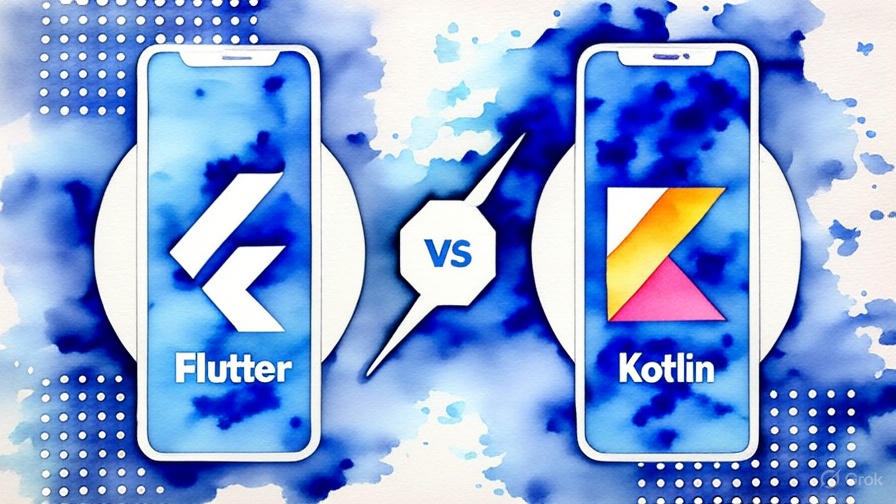
Both technologies aim to solve the age-old problem of writing code once and running it everywhere, but they take fundamentally different approaches. Flutter vs Kotlin Multiplatform differs in philosophy: Flutter provides a complete UI framework, allowing developers to create consistent interfaces across platforms from a single codebase, while Kotlin Multiplatform focuses on sharing business logic and keeping the UI native for each platform.
Choosing between Flutter vs Kotlin Multiplatform depends largely on your priorities. Flutter is ideal for rapid development, MVPs, and projects where consistent UI and fast iteration are critical. Kotlin Multiplatform shines when performance, platform-specific features, and leveraging existing native expertise are more important. By understanding these distinctions, you can select the technology that best aligns with your project goals and deliver a high-quality, maintainable cross-platform application.
Table of Contents
What is Flutter?
Flutter is Google’s open-source UI software development kit that enables developers to create natively compiled applications for mobile, web, and desktop from a single codebase. Launched in 2017, Flutter has gained massive popularity due to its fast development cycle and expressive UI capabilities.
Flutter uses the Dart programming language and provides its own rendering engine, which means your app looks identical across all platforms. The framework includes a rich set of pre-built widgets and tools that make it easy to create beautiful, responsive user interfaces.
What is Kotlin Multiplatform?
Kotlin Multiplatform (KMP) is JetBrains’ technology that allows developers to share code between different platforms while maintaining the flexibility to write platform-specific code when needed. Unlike Flutter, KMP doesn’t provide UI components. Instead, it focuses on sharing business logic, data layers, and other non-UI code.
KMP lets you write your core application logic once in Kotlin and then use native UI frameworks (SwiftUI for iOS, Jetpack Compose for Android) to create platform-specific user interfaces. This approach gives you the best of both worlds: code reuse and native performance.
Performance Comparison
Flutter Performance
Flutter compiles to native ARM code, which provides excellent performance that’s close to native apps. The framework uses its own rendering engine (Skia) to draw UI components directly on the canvas, bypassing the platform’s native UI components.
Advantages:
- Consistent 60 FPS performance across platforms
- No JavaScript bridge overhead
- Efficient memory management
- Fast startup times
Considerations:
- Larger app size due to the Flutter engine
- May have slight performance overhead compared to fully native apps
Kotlin Multiplatform Performance
KMP offers native performance because the shared code compiles to native binaries on each platform. The UI remains completely native, ensuring optimal performance and platform-specific behavior.
Advantages:
- True native performance for UI
- Smaller app sizes (only shared logic is included)
- Platform-specific optimizations possible
- No performance penalty for shared business logic
Considerations:
- Performance depends on the quality of platform-specific UI implementation
Development Experience and Learning Curve
| Aspect | Flutter | Kotlin Multiplatform |
|---|---|---|
| Language | Dart | Kotlin |
| Learning Curve | Moderate (new language for most) | Easier for Android developers |
| Development Speed | Fast (single codebase for UI) | Moderate (separate UI development) |
| Hot Reload | Excellent | Good (Android Studio support) |
| Debugging | Good cross-platform tools | Native debugging tools |
| IDE Support | VS Code, Android Studio | Excellent IntelliJ/Android Studio |
Flutter Development Experience
Flutter provides an exceptional development experience with features like hot reload, which allows you to see changes instantly without losing app state. The framework includes comprehensive documentation, extensive widget libraries, and strong tooling support.
However, developers need to learn Dart, which might be a barrier for some teams. The good news is that Dart is relatively easy to learn, especially for developers familiar with modern programming languages.
Kotlin Multiplatform Development Experience
KMP offers a familiar development experience for Android developers since they’re already working with Kotlin. The tooling continues to improve, with excellent support in IntelliJ IDEA and Android Studio.
The main challenge is coordinating development between different platform teams, as UI development still requires platform-specific knowledge and skills.
Code Sharing and Architecture
Flutter Code Sharing
Flutter allows you to share nearly 100% of your code across platforms, including UI code. This makes it incredibly efficient for teams that want to maintain a single codebase.
// Example: Same code runs on all platforms
class MyApp extends StatelessWidget {
  @override
  Widget build(BuildContext context) {
    return MaterialApp(
      home: Scaffold(
        appBar: AppBar(title: Text('Cross Platform App')),
        body: Center(child: Text('Hello World!')),
      ),
    );
  }
}
Kotlin Multiplatform Code Sharing
KMP typically allows 60-90% code sharing, focusing on business logic, networking, data processing, and other non-UI components. UI code remains platform-specific.
// Shared code
expect class Platform() {
    val name: String
}

// Business logic shared across platforms
class BusinessLogic {
    fun processData(): String {
        return "Processed on ${Platform().name}"
    }
}
Platform Support and Ecosystem
| Platform | Flutter | Kotlin Multiplatform |
|---|---|---|
| iOS | Full support | Full support |
| Android | Full support | Full support |
| Web | Stable | Limited/Experimental |
| Desktop | Stable (Windows, macOS, Linux) | Growing support |
| Embedded | Limited | Growing |
Flutter Ecosystem
Flutter has a mature ecosystem, offering thousands of packages available on pub.dev. Its large and active community, combined with extensive third-party library support, makes development faster and easier. Backed by Google, Flutter ensures long-term stability and continuous improvements. In the Flutter vs Kotlin Multiplatform comparison, Flutter stands out for its rich ecosystem and developer-friendly resources, while Kotlin Multiplatform leverages native libraries and shared business logic for more platform-specific flexibility.
Kotlin Multiplatform Ecosystem
The ecosystem of Kotlin Multiplatform (KMP) is growing rapidly, fueled by JetBrains’ commitment and Kotlin’s popularity. In the Flutter vs Kotlin Multiplatform comparison, KMP’s ecosystem is smaller than Flutter’s but benefits from the extensive Kotlin/JVM libraries and native platform resources, giving developers powerful tools for cross-platform development.
UI and Design Flexibility
Flutter UI Capabilities
Flutter excels in creating custom, pixel-perfect UIs that look identical across platforms. It provides:
- Rich set of Material Design and Cupertino widgets
- Highly customizable UI components
- Smooth animations and transitions
- Consistent look across all platforms
However, achieving truly native look and feel can be challenging, and Flutter apps might not automatically adopt new platform-specific design changes.
Kotlin Multiplatform UI Approach
KMP takes a different approach by using native UI frameworks:
- iOS apps use SwiftUI or UIKit
- Android apps use Jetpack Compose or traditional Views
- True native look and feel
- Automatic adoption of platform design updates
- Access to all platform-specific UI capabilities
The trade-off is increased development time and the need for platform-specific UI expertise.
Team Structure and Resource Requirements
Flutter Team Structure
Flutter projects work best with:
- Unified development team
- Dart/Flutter expertise
- Single codebase maintenance
- Shared design system
This structure can be more cost-effective for smaller teams but requires everyone to learn Flutter/Dart.
Kotlin Multiplatform Team Structure
KMP projects typically involve:
- Shared logic team (Kotlin developers)
- Platform-specific UI teams (iOS and Android specialists)
- Coordination between teams
- Platform-specific design considerations
This approach works well for larger organizations with existing native development teams.
When to Choose Flutter
Flutter is the better choice when:
- Rapid Prototyping: You need to build and iterate quickly
- Consistent UI: Your app requires identical appearance across platforms
- Small to Medium Teams: You have limited resources and want maximum code sharing
- Custom UI Requirements: Your app needs highly customized, branded interfaces
- Web and Desktop: You plan to target web and desktop platforms
- Startup Environment: You’re building an MVP and need fast time-to-market
When to Choose Kotlin Multiplatform
KMP is the better choice when:
- Existing Native Teams: You have established iOS and Android development teams
- Platform-Specific UI: Your app needs to feel truly native on each platform
- Performance Critical: You’re building apps where every millisecond matters
- Complex Platform Integration: You need deep integration with platform-specific features
- Large Enterprise: You have the resources to maintain separate UI codebases
- Gradual Migration: You want to incrementally share code in existing native apps
Real-World Success Stories
Flutter Success Stories
- Google Pay: Leveraged Flutter for rapid development across platforms
- Alibaba: Used Flutter to unify their mobile experience
- BMW: Implemented Flutter for their My BMW app
Kotlin Multiplatform Success Stories
- Netflix: Uses KMP for sharing business logic across platforms
- VMware: Implemented KMP for their enterprise solutions
- Cash App: Shares significant portions of code using KMP
Cost Analysis and ROI
Flutter Development Costs
- Lower initial development costs due to single codebase
- Reduced long-term maintenance costs
- Smaller team size requirements
- Faster time-to-market
Kotlin Multiplatform Development Costs
- Higher initial development costs for UI development
- Potential cost savings in business logic maintenance
- Requires larger, specialized teams
- Longer initial development time
Future Outlook and Trends
Flutter’s Future
Google continues to invest heavily in Flutter, with improvements in:
- Performance optimizations
- Desktop and web platform maturity
- Integration with Google’s ecosystem
- Growing enterprise adoption
Kotlin Multiplatform’s Future
JetBrains and Google (as a Kotlin partner) are driving KMP forward with:
- Improved tooling and IDE support
- Better multiplatform libraries
- Enhanced debugging capabilities
- Growing industry adoption
Performance Benchmarks
Based on various community benchmarks and real-world applications:
| Metric | Flutter | Kotlin Multiplatform |
|---|---|---|
| App Startup Time | Good | Excellent (native UI) |
| Animation Performance | Excellent | Excellent |
| Memory Usage | Moderate | Low to Moderate |
| CPU Usage | Low to Moderate | Low |
| Battery Consumption | Moderate | Low |
Making Your Decision: A Practical Framework
Consider these key questions when choosing between Flutter and KMP:
- What’s your team’s current expertise?
- Existing native developers? Consider KMP
- Web developers or new team? Flutter might be easier
- How important is native look and feel?
- Critical for user experience? Choose KMP
- Consistent branding more important? Choose Flutter
- What’s your timeline and budget?
- Tight deadline and budget? Flutter for speed
- Longer timeline with quality focus? KMP for native excellence
- What platforms do you need to support?
- Mobile-first with web later? Flutter
- Mobile-only with native perfection? KMP
- How complex are your platform integrations?
- Heavy platform-specific features? KMP
- Standard app functionality? Either works well
Conclusion
When choosing between Flutter vs Kotlin Multiplatform, it’s important to consider the project’s goals. Flutter excels at rapid development and delivering a consistent UI across iOS, Android, and web from a single codebase. Its hot reload and extensive widget library make it ideal for startups, MVPs, and teams looking to speed up development.
Kotlin Multiplatform, on the other hand, focuses on native performance and platform-specific experiences. It allows sharing business logic across platforms while keeping the UI native, making it perfect for enterprises and performance-critical apps. In the Flutter vs Kotlin Multiplatform debate, Kotlin Multiplatform offers flexibility for teams already experienced in native development.
Team structure, project complexity, and long-term goals often determine the choice. Flutter allows rapid iteration with a single language, while Kotlin Multiplatform enables incremental adoption in existing native projects. The Flutter vs Kotlin Multiplatform comparison isn’t about which is better universally, but which aligns best with your needs.
Both technologies continue to evolve, narrowing the gap between them. Choosing between Flutter vs Kotlin Multiplatform depends on whether you prioritize speed, consistency, or native performance. Either way, both platforms provide powerful tools for building high-quality cross-platform apps.
Flutter, developed by Google, is a cross-platform framework using Dart to build natively compiled apps with a single codebase, focusing on consistent UI across platforms. Kotlin Multiplatform (KMP), created by JetBrains, uses Kotlin to share business logic across platforms while leveraging native UIs like SwiftUI or Jetpack Compose, offering better native integration.
The best choice depends on your needs. Flutter excels for rapid development, UI-heavy apps, and MVPs with its hot reload feature. Kotlin Multiplatform is better for native performance, enterprise apps, and teams with Kotlin expertise, especially with Compose Multiplatform stable in 2025.
Flutter offers near-native performance with smooth 60 FPS UI rendering via its Skia engine, ideal for animations. Kotlin Multiplatform matches native speed for computational tasks, outperforming Flutter by 15-20% in benchmarks for logic-heavy operations, making it suitable for performance-critical apps.
Flutter has a moderate learning curve, requiring Dart knowledge, but its hot reload and documentation make it beginner-friendly. Kotlin Multiplatform is easier for developers with Kotlin or Java skills, though it requires native platform expertise for full use, which can be challenging for newcomers.
Flutter’s advantages include faster development with hot reload, a consistent UI across platforms, a large ecosystem with 150K+ GitHub stars, and suitability for MVPs and UI-intensive apps like e-commerce platforms.
In 2025, Flutter dominates consumer apps with web/desktop updates, though concerns about Google’s commitment persist. Kotlin Multiplatform is gaining traction in enterprise with Compose Multiplatform, projected to reach 30% market share by 2027.
Check Reddit threads on r/FlutterDev and r/androiddev for real-world insights. Users praise Flutter for speed and KMP for long-term potential, with debates on Flutter vs Kotlin Multiplatform Reddit reflecting diverse experiences.